New: Tern for Mac

Email that feels calm again.

Tern is a fast, private email client for the account you already have. Threaded conversations, a full calendar and tracker blocking from the very first message, in your browser and on your Mac.

macOS 14 or later · Apple silicon and Intel · Works in any modern browser

Tern's inbox with a conversation open: three earlier replies folded above the newest message.

Compose

Write like you mean it.

A rich editor that stays out of your way, with your signature, templates for the things you send often, and Undo send for the moment just after you press Send.

  • Write from any of your accounts or aliases, from one From menu
  • Asks before sending when you mention an attachment and forgot it
  • Follow-up reminders bring a message back if nobody replies
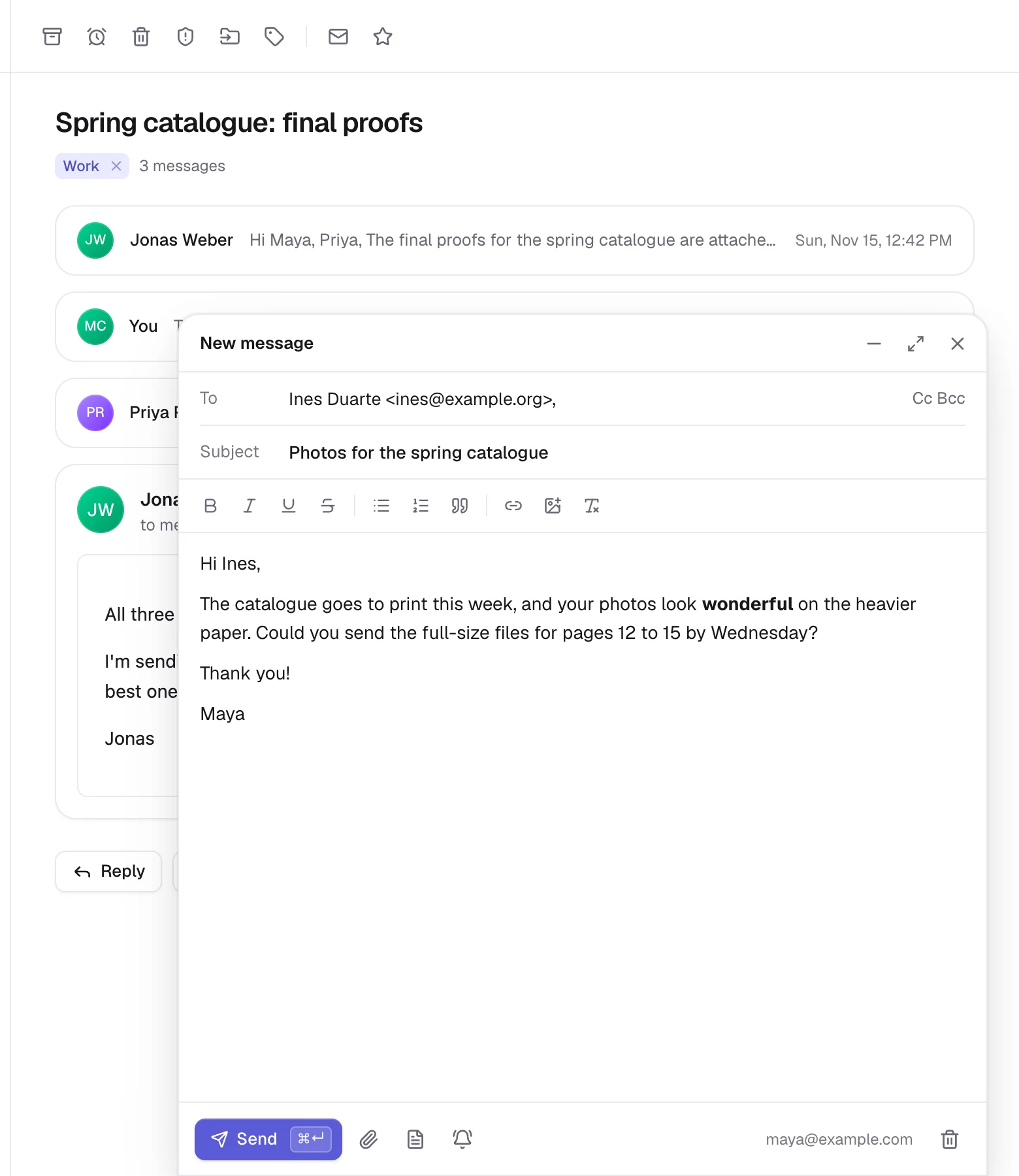
The composer, writing to Ines about photos for the spring catalogue, with one word in bold.

Calendar

Invitations you can answer in one click.

An invitation arrives as a card with the time in your zone, the video link and who's coming. Yes, Maybe or No goes back to the organizer and puts the event in your calendar.

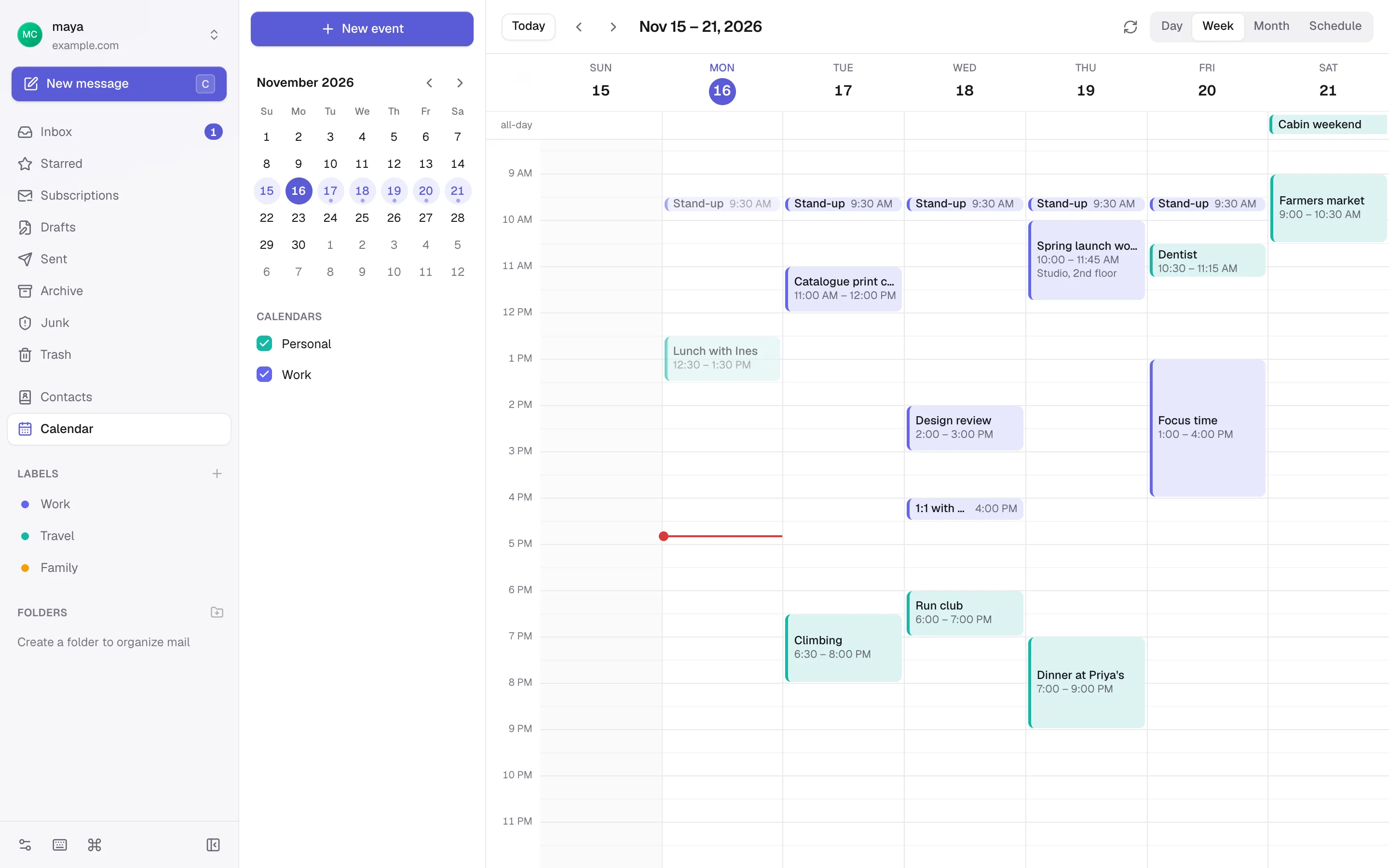
  • Day, week, month and schedule views
  • Drag to make an event, move it, or change its length
  • Repeating events, reminders and several calendars
An invitation to a weekly design review shown as a card, with Yes, Maybe and No buttons.
Tern's calendar in week view, with work and personal events side by side.

Privacy

Senders don't get to watch you read.

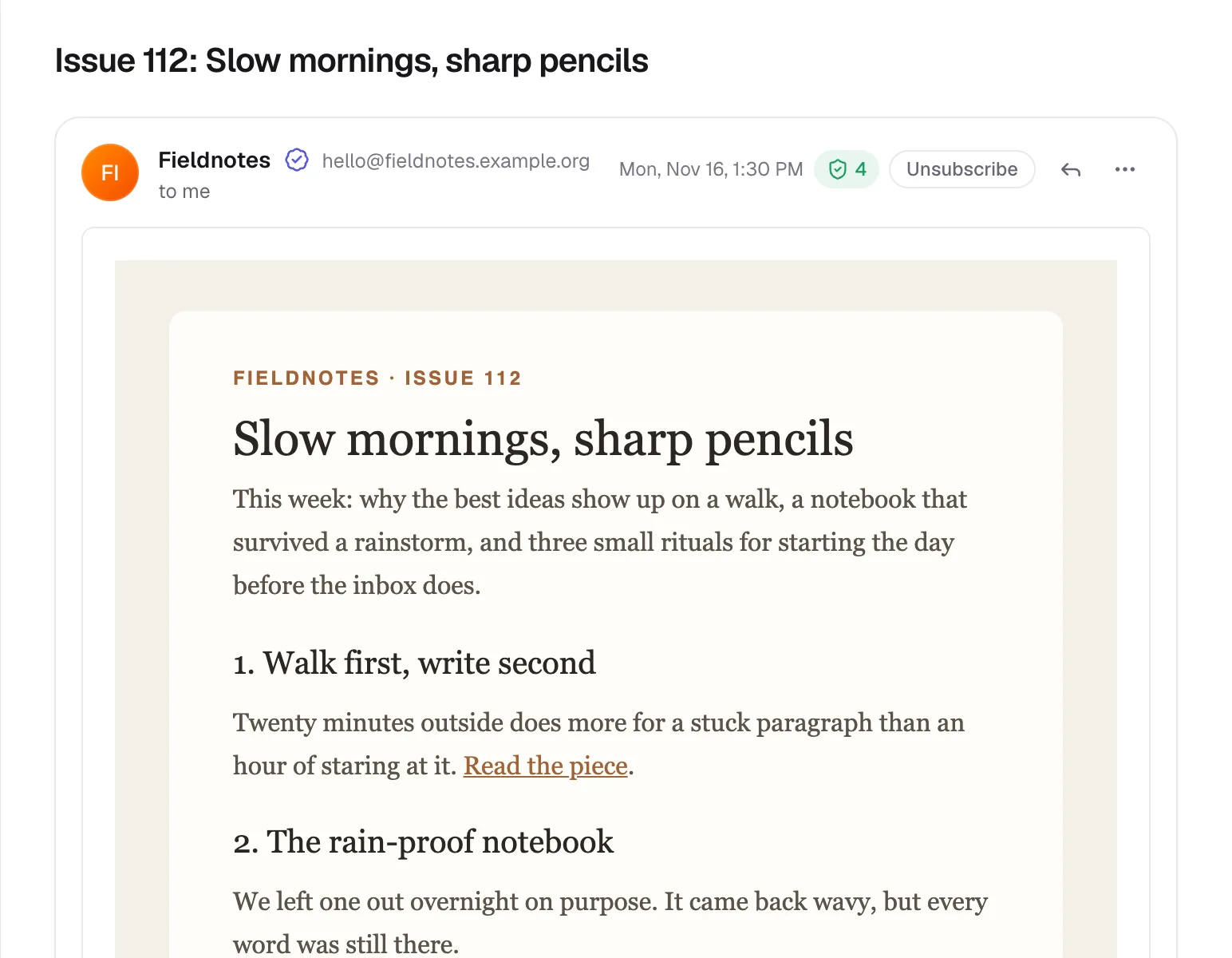
Remote images stay hidden until you allow them, and even then Tern fetches them for you, so the sender never sees your address, browser or cookies. Tracking pixels go either way.

  • Tracking parameters stripped from links, and a warning before one that pretends to go somewhere else
  • A check mark when the sender's domain vouches for the message, and a warning when it doesn't
  • Your mail stays on your mail server, and Tern's server never stores your password
A newsletter with its remote images hidden, a verified-sender check mark and four trackers blocked.

Keyboard

Fly through your inbox.

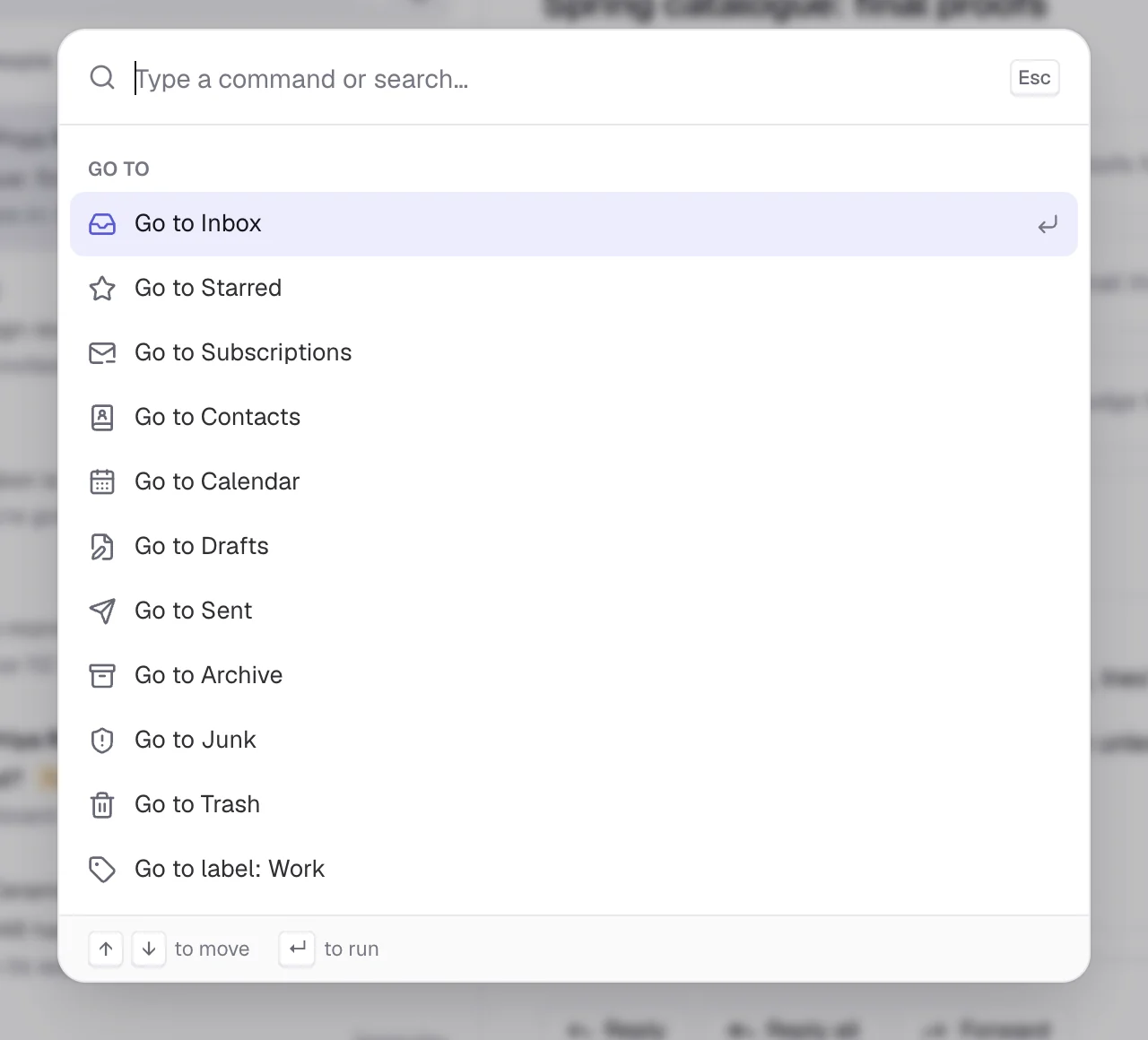
Shortcuts for nearly everything, and a command palette for the rest: press ⌘K, type a few letters, and go. Keys typed while the composer opens land in it, never on your inbox.

JK
Next, previous
E
Archive
R
Reply
Z
Snooze
C
Compose
/
Search
The command palette, open over the inbox, listing places to go.

Dark mode

Dark mode that reaches inside your mail.

In the dark theme, messages designed for a white page are shown dark as well, with their colors and pictures intact. Mail that's already dark stays as the sender made it, and any message switches back with one click.

A flight confirmation email shown in dark colors, its layout unchanged.

And all the small things.

  • SnoozeHide a conversation until later today, tomorrow or next week. It comes back to the top, unread.
  • Filters that keep runningFilters and a vacation reply run on your mail server, even while Tern is closed.
  • SubscriptionsEvery newsletter in one place, how often it writes, and one-click unsubscribe.
  • MuteSilence a busy thread: its replies skip your inbox and go straight to Archive.
  • Labels and saved searchesColored labels, several per conversation, and the searches you run every day in the sidebar.
  • Several accountsSign in to more than one account at once and write from any of them.
  • ContactsYour address book in autocomplete, with .vcf import and export.
  • Download allEvery attachment in a message as one .zip, named after its subject.
  • Settings that follow youSignatures, templates, labels and saved searches sync between your devices, live.
  • Your devicesSee every signed-in browser and Mac, and sign one out from anywhere.
  • Readable offlineRecent mail stays readable when the connection drops, encrypted with a key only your device can get.
  • InstallableInstall Tern as an app and let it open the email links in your browser.

On your phone

Just as calm in your pocket.

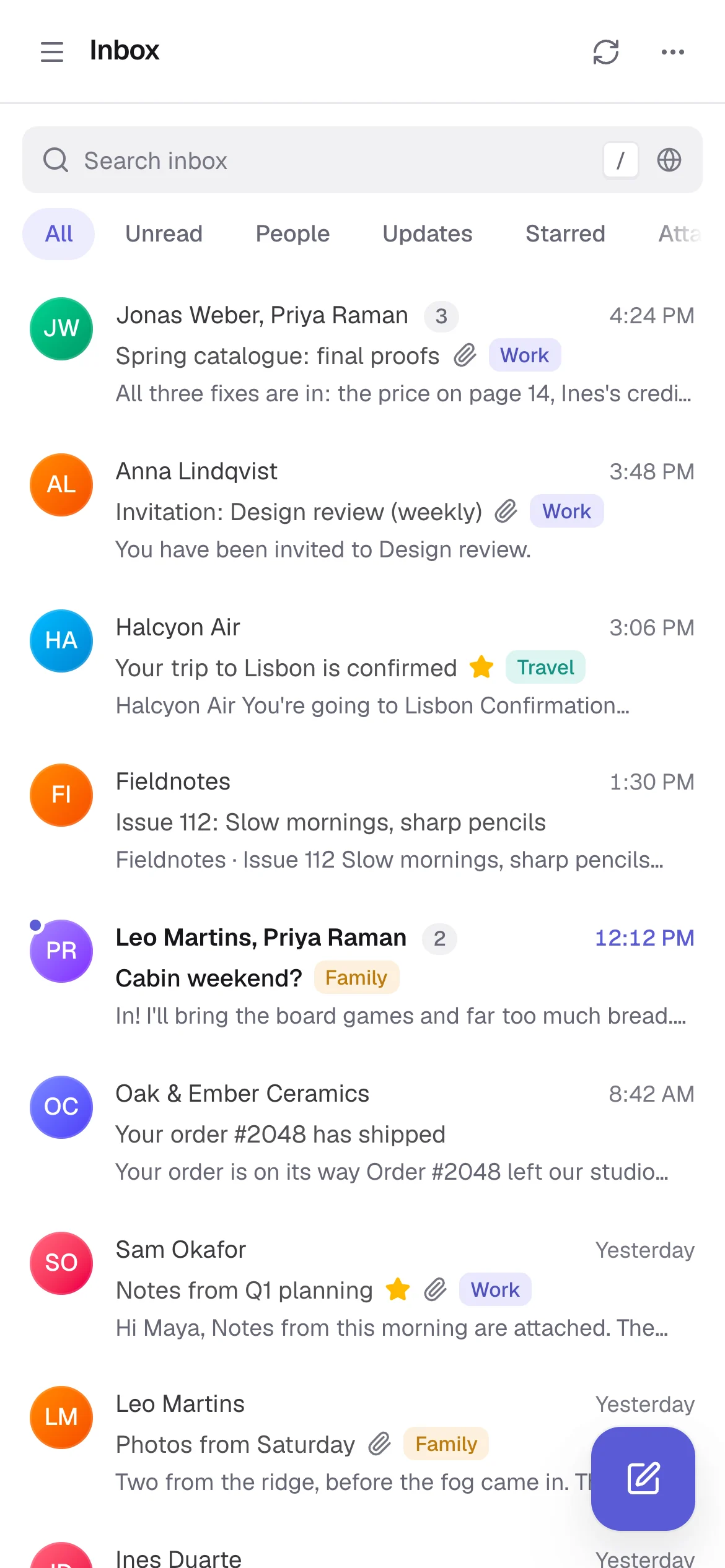
Swipe a conversation left to archive it and right to mark it read, and start a new message from the button at the bottom of the list. Add Tern to your home screen and it opens like an app.

Tern's inbox on a phone.
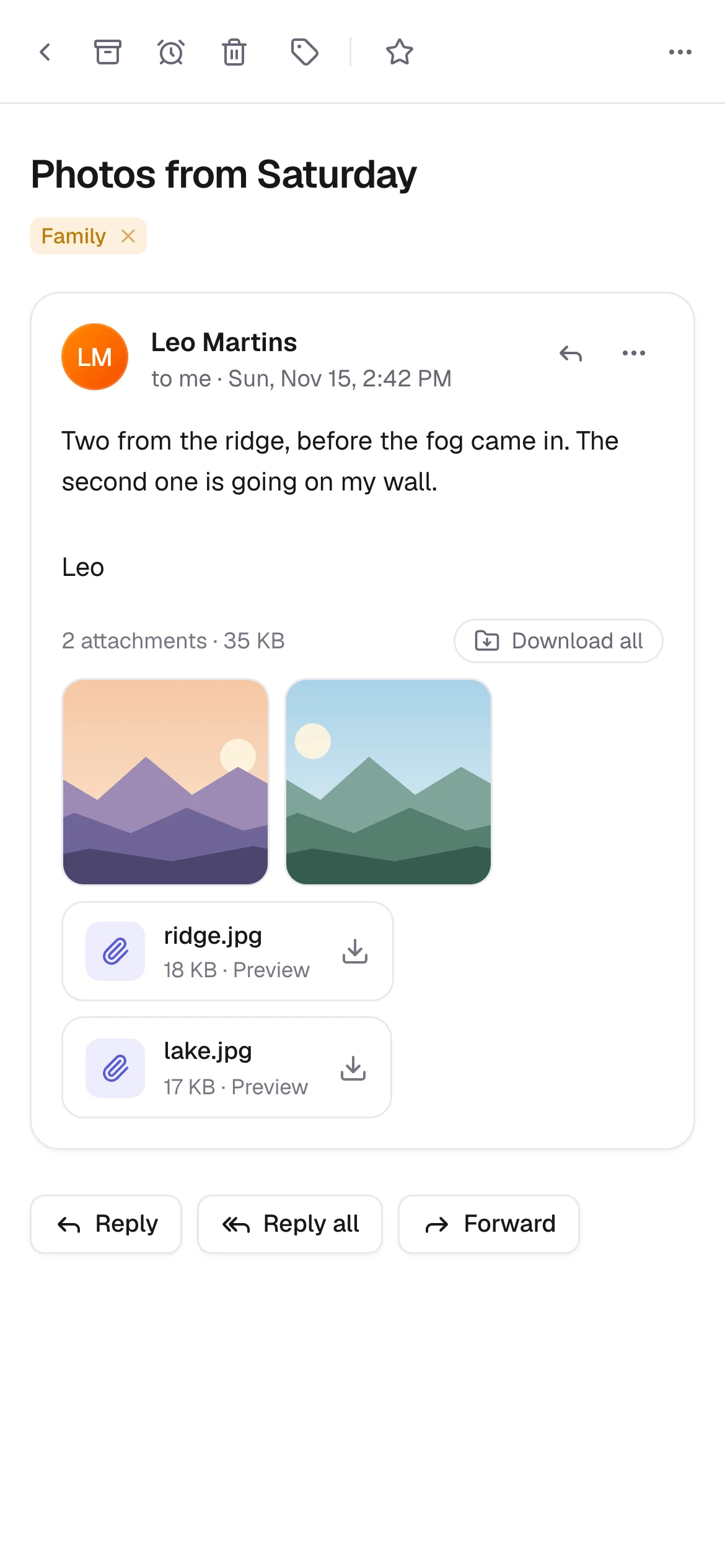
A message with two photo attachments, open on a phone.

Tern for Mac

Your mail, in its own window.

The same Tern, as a Mac app. New mail is announced with a notification and counted on the Dock icon, even while the window is closed.

  • Notifications, window closed A small watcher on your Mac talks to your mail server itself, so new mail is announced at once.
  • Your default email app Email links anywhere on your Mac open a new message in Tern.
  • Signed and up to date Notarized by Apple, sandboxed, and it updates itself when there's a new version.
  1. 1Download Tern.dmg
  2. 2Drag Tern to Applications
  3. 3Open it, enter your Tern address and sign in
Download for Mac

macOS 14 or later · Apple silicon and Intel · about 2 MB

Give your inbox some quiet.

Bring the account you already have. Your mail stays where it is.